Overview
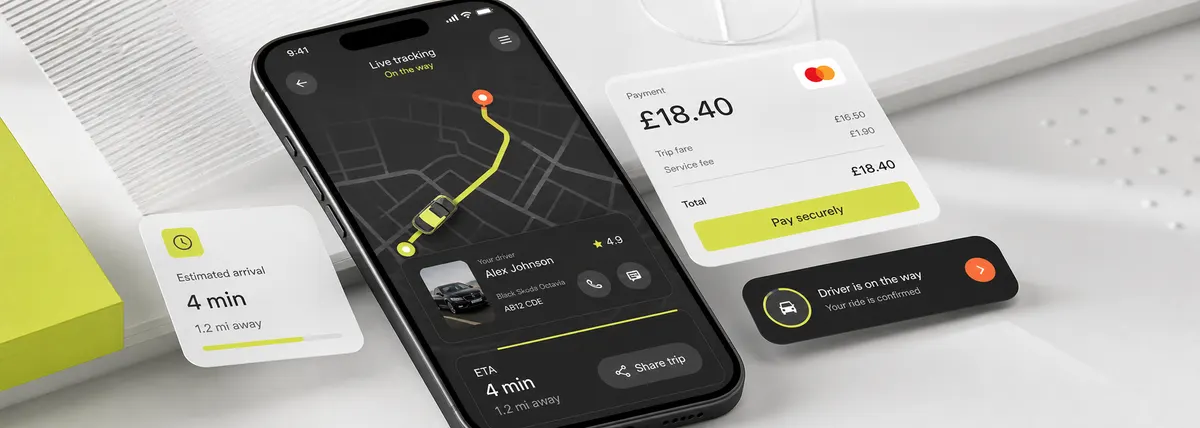
A self-initiated design concept asking a sharp question: what would a taxi-tracking app look like if it were designed entirely around how the passenger feels, instead of around dispatch and driver management?
The challenge
Ride-tracking apps create anxiety. They shouldn't.
This was a concept piece with a sharp question behind it: what would a taxi tracking app look like if you designed it entirely around how the passenger feels, instead of around dispatch and driver management?
Most ride apps are built operator-first. You end up looking at what the system happens to track, not at what you actually want to know in the back of a car. We flipped the priority.
The constraint kept us honest: every interaction had to work one-handed, in a moving vehicle, in bad lighting. No hidden menus, no swipe gymnastics. Just calm, contextual information when you need it.
What we'd watch next time: putting everything on one map surface is great until the screen gets busy. Layering fare, ETA, route changes, and split-pay onto a live map without it turning into clutter was the genuinely hard part, and it's the thing we'd want to pressure-test with real drivers and real traffic before calling it finished.
What we did
Designed a map-first interface where the map is the app itself. Driver detail, ETA, route changes, and fare context live as layers on it, not separate screens.
Designed a payment and context layer inside the live ride view: a running fare estimate, split-pay, and a receipt preview, so money is never a surprise.
Designed an entirely one-hand interaction model with every control in the natural thumb-reach zone, validated by putting the prototype in front of people.
The outcome
A single live surface carrying tracking, driver detail, ETA, and payment context. No tabs, no bottom nav, nothing to go hunting for mid-ride.
Problem framing, system design, interaction specs, and Figma handover delivered as a focused design concept.
Full Figma source, component library, and motion specs delivered on completion. A self-initiated concept, no external client.
The calls that defined it.
Three decisions we committed to early and held, even when they meant throwing out the usual patterns.
MAP AS PRIMARY UI: The map is not a modal or a secondary screen. It is the app. Everything else is overlaid on it in context, and navigation tabs are replaced by gesture-based context switching.
FARE CONTEXT VISIBLE IN MOTION: Running fare estimate, payment method, and split pay button are always visible without tapping. Passengers know what they owe before they arrive. No surprises.
ONE-HAND THUMB ZONE ONLY: Every interactive element lives in the bottom 40% of the screen, the natural thumb reach zone. Nothing requires a two-thumb gesture or a visual search.
Tech & stack
Figma · motion specs · component library